For merchants
Your shop in one portal — WhatsApp optional extras
See how merchants run the business day to day: dashboard overview, stores and products, the full order flow, then CRM analytics.
Step 1
Dashboard
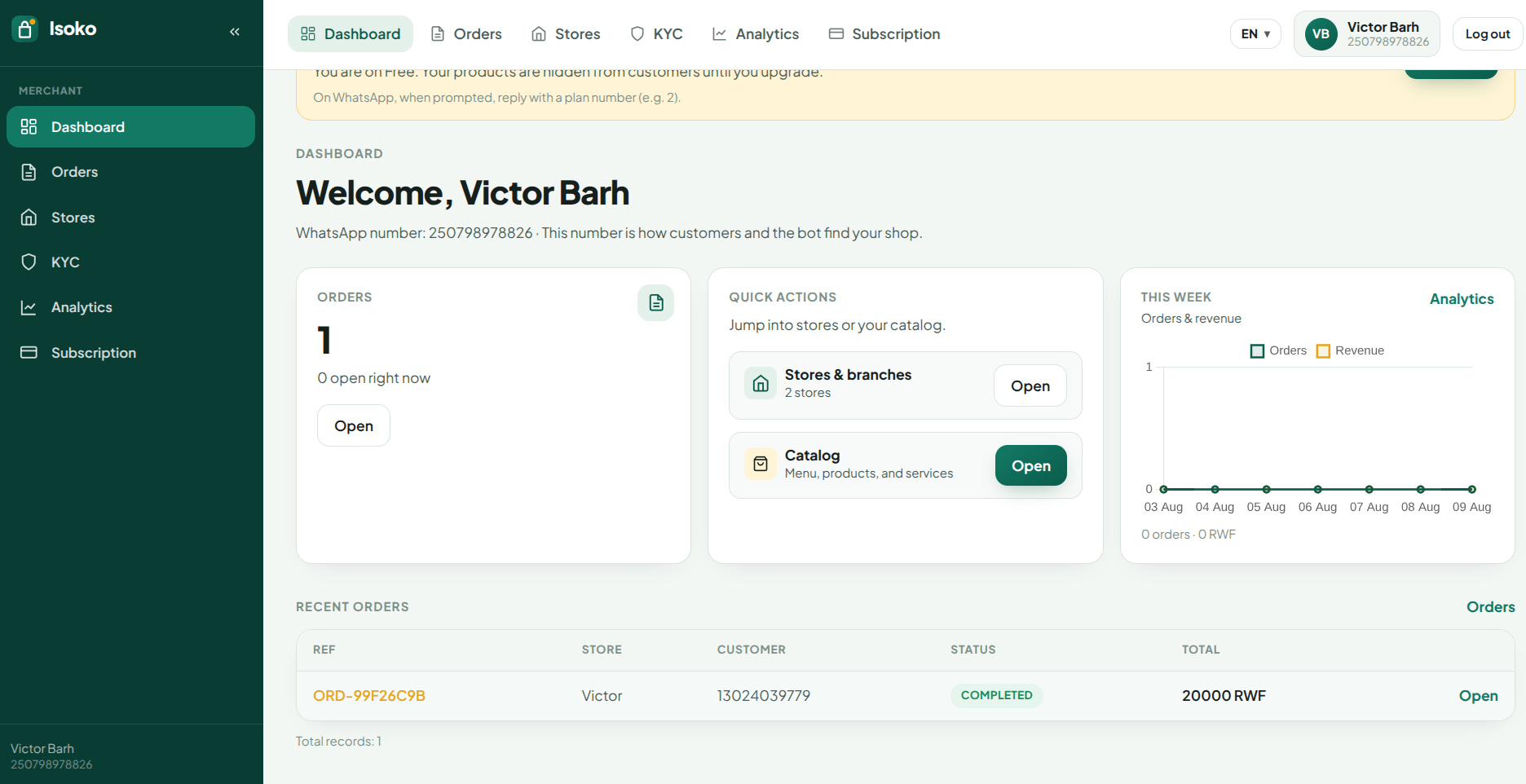
Your home screen after you log in. Spot what needs attention without digging through menus.
- Welcome view tied to your WhatsApp number — how customers and the bot find your shop.
- Orders summary and open jobs at a glance, plus quick links into stores and catalog.
- This-week chart for orders and revenue, and a recent-orders table you can open instantly.
- Plan reminders when Free hides your catalog from customers until you upgrade.
Step 2
Stores & products
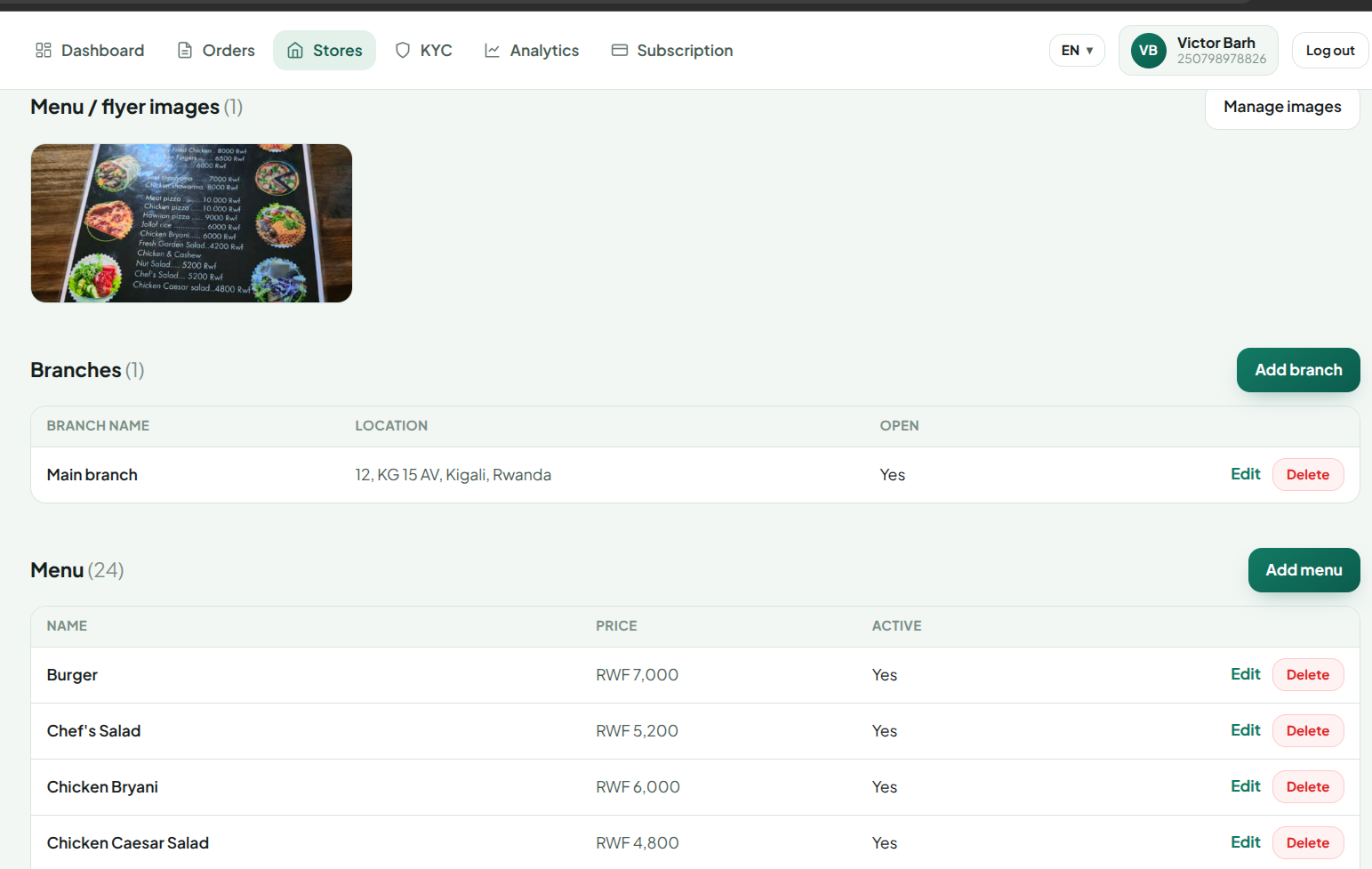
Create a store, add branches, then build a catalog that matches your store type.
- Pick a store category when you create the shop — restaurant, grocery, services, and more.
- Product forms follow that type: menus for food shops, products or services for others.
- Manage branches with address and open status so customers know where to find you.
- Upload menu or flyer images, then add or edit items with price and active status.
Step 3
Orders
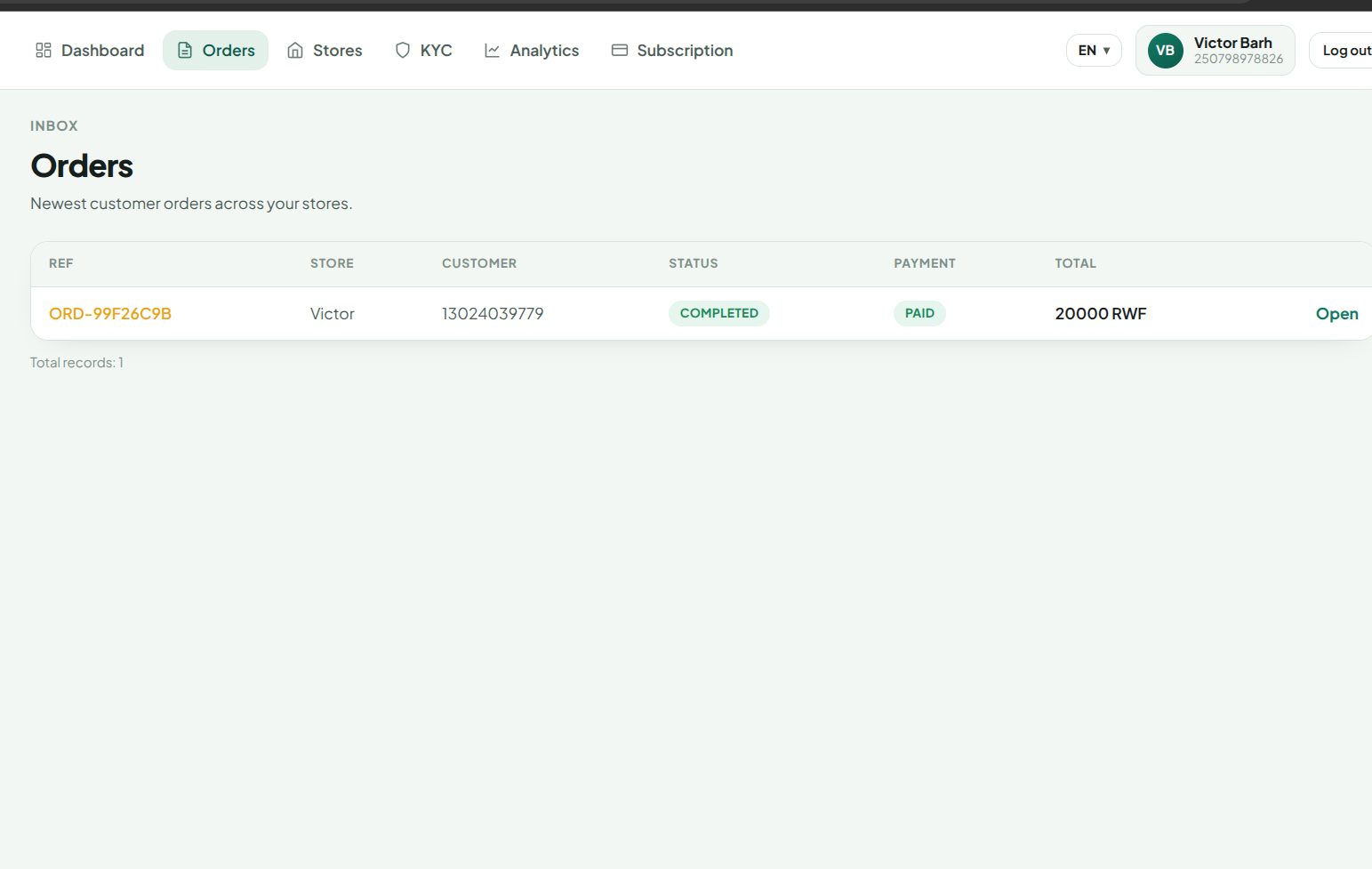
One inbox for every customer order across your stores — status, payment, and who ordered.
- See order reference, store, customer, status, payment, and total in one table.
- Open an order for customer details and line items so you can prepare and fulfill correctly.
- Move through the flow: pending → accepted → preparing → ready → out for delivery → completed.
- Track paid vs unpaid and hand off ready orders to drivers when delivery is needed.
Step 4
CRM analytics
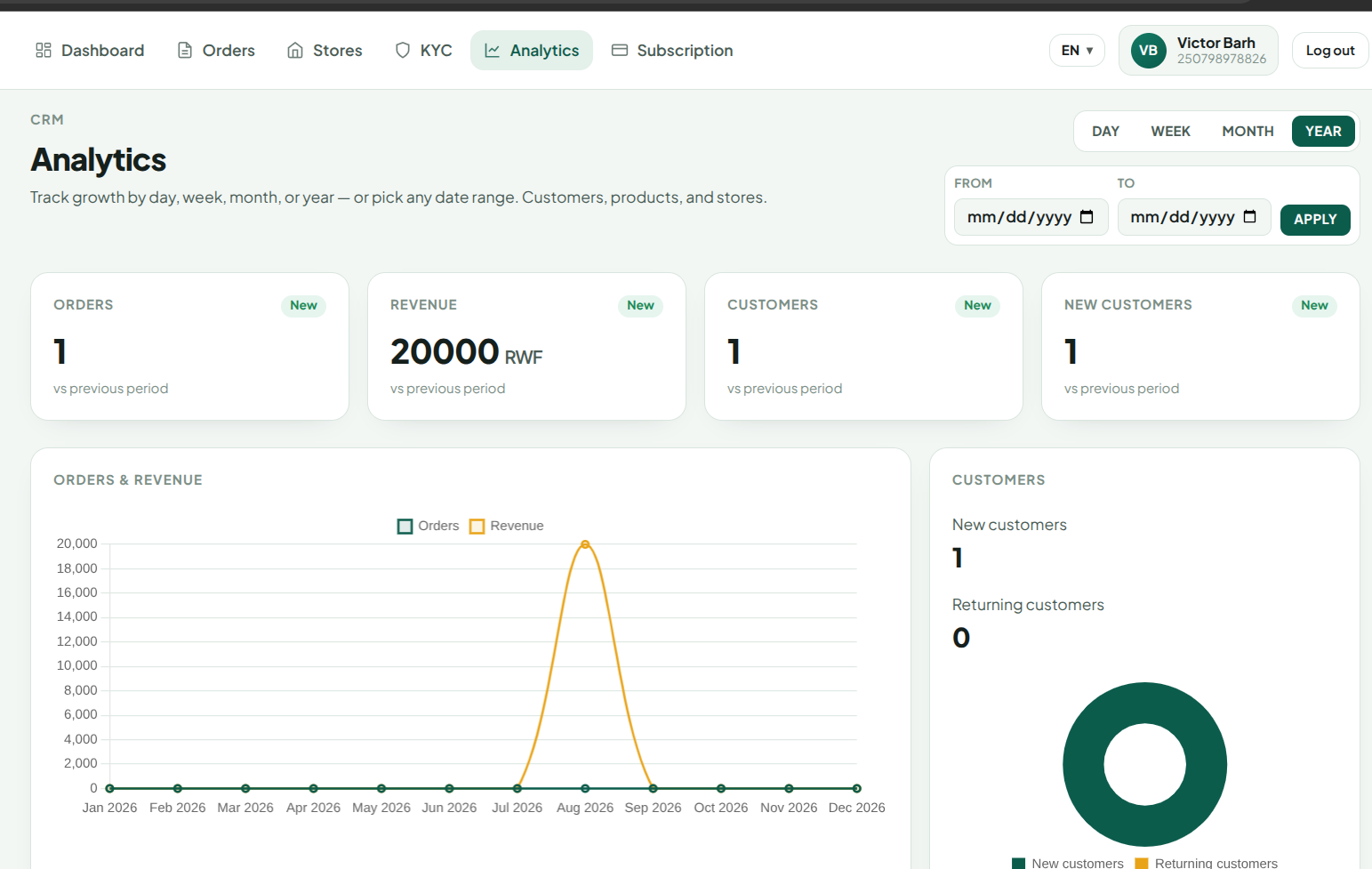
Measure growth by day, week, month, year — or any custom date range.
- KPI cards for orders, revenue, customers, and new customers vs the previous period.
- Orders & revenue charts over time so you see peaks and quiet stretches.
- Customer mix: new vs returning — plus top products and per-store performance.
- Use Analytics when WhatsApp alone is not enough for planning and reporting.
Ready to open your shop?
Register with your WhatsApp number and start from the bot — use the portal for dashboard, stores, orders, and CRM.